New Year, New Notion
Date: 2025-01-15 | 3 min read | 429 words
I started using Notion several years ago, probably my second semester after I returned to college as an adult. Since then, I use it for knowledgebasing and mind dumping, and it basically functions as a personal wiki.
As a returning (and busy) adult student, it's important that I keep track of my daily tasks for school, especially with my scattered brain. One of the things that I personally find helpful is having a list of some sort, and some way that I can mark it done. It's such a satifsying feeling. Whether it's scratcing it out on a piece of paper, or changing the status on a web page, I yearn for that gratification of completing something on my list.
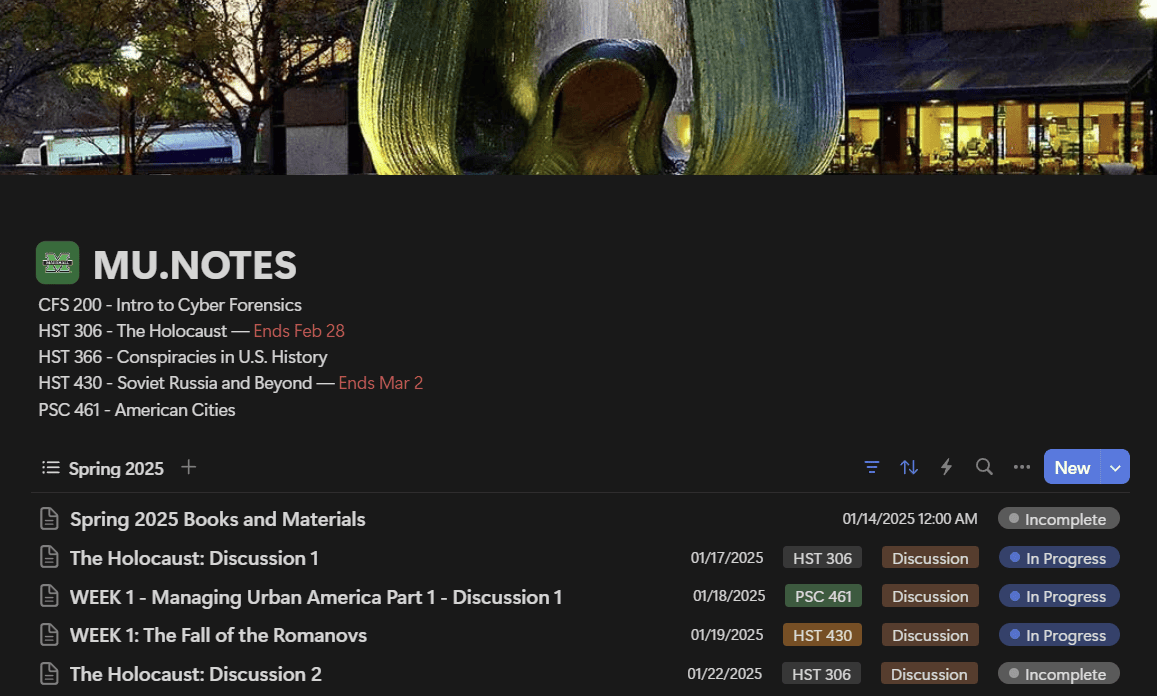 ^ My notion database for classes
So, to start, I create a database in Notion called "SchoolName.Notes." That database holds each assignment for my classes, organized by Semester, Class, Type of Assignment, Due Date and Status.
At the top of the database, in the description, I put the list of classes I have for that semester, and any important dates or relevant information (like when the class ends).
I also have a note that has no due date (so it says at the top) where I list all my books for the semester, save them to my NAS, and then attach them to the Notion file.
The thing I like about Notion is, you can set the due dates to be a range or a single date, and you can add an exact time. It can even send you reminders through Notion Calendar (although I don't use this feature).
That statuses obviously correspond to whether I have an assignment finished, currently working on it, I missed it, or it has been completed. If I completed it, it will disappear from the database's list view, although it will still be in the database itself for later retrieval.
Each item opens up to an individual notes page for that assignment. So, for example, if it's a discussion assignment, I can open it up and write the prompt for the discussion, and then draft the post for the assignment right there in Notion before I post it. I can also save any images that are relevant.
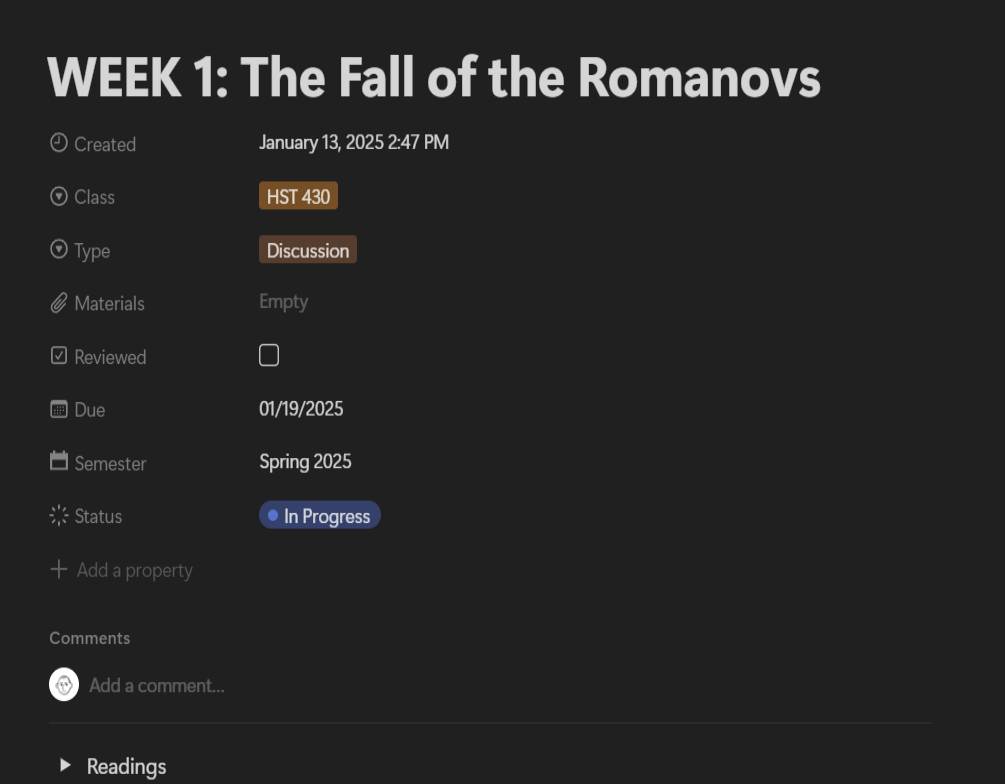 ^ An assignment opened up in the Note view
This solution isn't fool-proof, however. There are a lot of things I wish I could have done to improve the system, and there are some things I wish Notion did. I can go into that in another post.